Claude Design vs Canva: They're Not Competing — Here's What Actually Matters for Your Workflow
 Written by Martin J.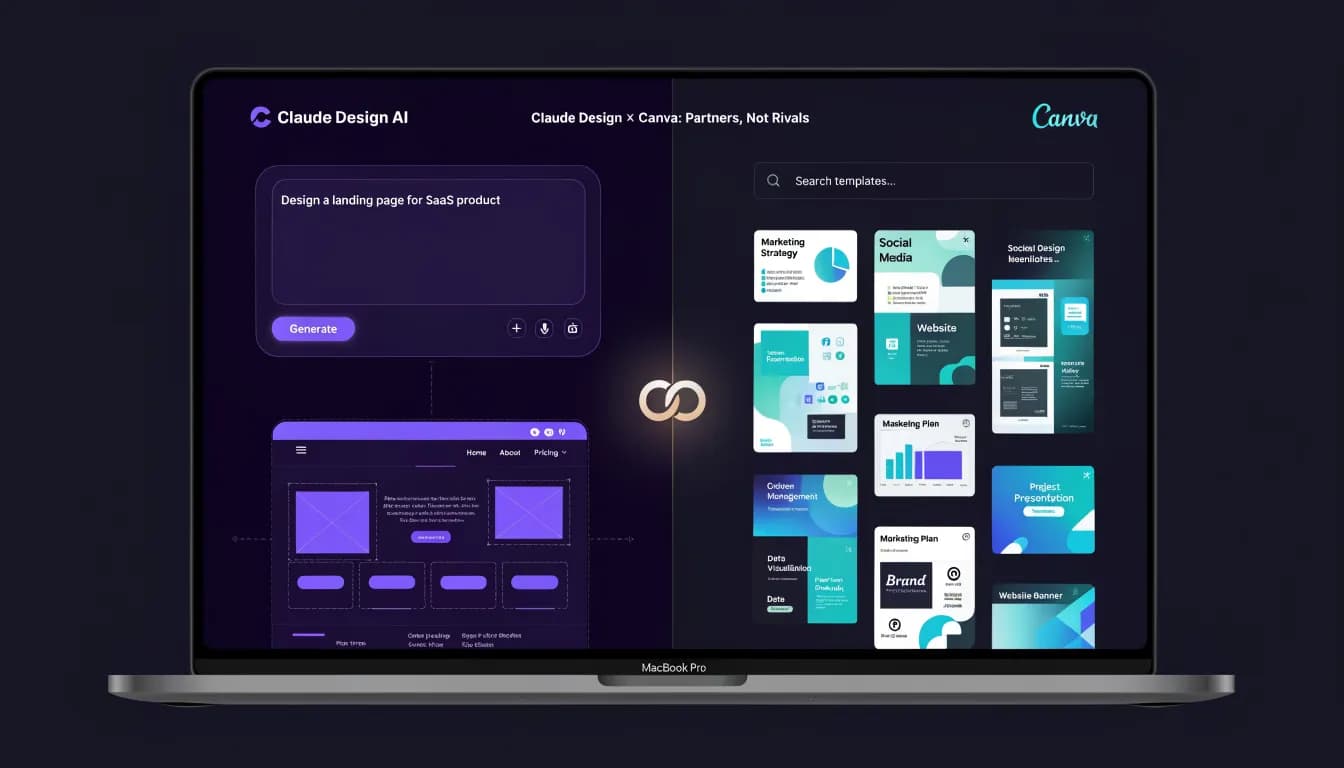
You've been treating this as a choice between two competing tools. It isn't. Canva is Claude Design's official export partner — Anthropic built the integration in deliberately. So what are you actually deciding here?
Your design process probably involves more tools than you're willing to admit. You generate something in one place, move it somewhere else, and then realize neither tool handles what comes next.
The comparison worth making is not Claude Design versus Canva. It is about what kind of work each handles, where the handoff should happen, and what you need beyond both.
What Claude Design Actually Does
Claude Design is Anthropic's AI-powered design feature built directly into Claude. You describe what you want — a landing page, a social post, an email header — and Claude generates a working visual design from that prompt. It outputs HTML/CSS for web assets, editable design files for graphics, and has integrations that let you push those outputs directly into other tools.
The core capability is speed. You go from a brief description to a functional design in seconds. No templates, no drag-and-drop, no layer management. The tradeoff is control — Claude Design makes decisions on your behalf. Typography, color palette, layout hierarchy. These are AI choices, not yours.
That's genuinely useful when you need a fast first draft of a design that doesn't yet exist. It's frustrating when you need pixel-perfect brand consistency or when a client needs to approve specific design decisions before you move forward.
For a deeper look at how it works day-to-day, see our full Claude Design review.
What Claude Design handles well:
- First-draft web pages and landing pages from a text prompt
- Social graphics when speed matters more than brand precision
- Presentation slides and pitch deck structures
- Generating multiple design directions quickly for internal review
- Exporting to Canva for further editing
Where it struggles:
- Brand consistency across a long content calendar
- Complex multi-asset design systems
- Fine-grained typography and layout control
- Any design that needs to go through a structured approval process
What Canva Actually Does
Canva is a visual content platform used by over 190 million people monthly. It has 610,000+ templates, a brand kit feature, team collaboration tools, and export options for virtually every format you'd need — social posts, presentations, PDFs, videos, printed materials.
The strength of Canva is its structure. Every asset lives in a workspace your team can access, comment on, and export. You have version history. You have brand controls that stop someone from choosing the wrong font. You have a library of photos, videos, and graphics that's large enough that you rarely need to go elsewhere for assets.
Canva also has its own AI features now — Magic Design, Magic Write, background removal, image generation. These are solid additions but they work within Canva's template paradigm. The AI helps you fill in and refine; it doesn't generate from nothing the way Claude Design does.
What Canva handles well:
- Building and maintaining a consistent brand asset library
- Team collaboration on visual content
- High-volume content production (social, email, ads) from templates
- Brand governance — locking fonts, colors, logos
- Presentations, proposals, and client-facing documents
Where it struggles:
- Generating completely original design concepts without a template starting point
- Complex web page design (Canva websites exist but are limited)
- Content strategy — it's a production tool, not a planning tool
- SEO, analytics, or campaign-level thinking
The Part Nobody Talks About: They Work Together
Here's the thing most comparison articles miss entirely: Claude Design and Canva are integrated. Anthropic built a native export from Claude Design directly into Canva. You generate a design in Claude, then push it to your Canva workspace for editing, refinement, and team collaboration.
This changes the framing completely. You're not choosing one over the other. You're deciding where each tool fits in a single workflow.
The pattern that actually makes sense for most marketing teams:
- Brief to first draft — use Claude Design to generate the initial concept fast
- Refine and brand — pull it into Canva, apply your brand kit, adjust layout
- Collaborate and approve — use Canva's team features for review
- Export and deploy — Canva handles format conversion and distribution
This isn't a competition. It's a pipeline. And if you've been treating them as alternatives, you've probably been giving up speed (by not using Claude Design) or brand quality (by not finishing in Canva).

That said, the integrated workflow still leaves something out. Claude Design generates the asset. Canva polishes and distributes it. But where does the brief come from? Who decides which content gets designed this week? Where does the performance data go after the post goes live? Neither tool answers those questions.
Where Claude Design Has the Edge
Speed on original concepts. When you're starting from zero — no template, no existing direction — Claude Design is dramatically faster than opening Canva and building from scratch. You describe what you want and you get something usable in under a minute.
Prompt-to-design flexibility. If you want to try five different visual directions for a campaign, Claude Design lets you generate all five in the time it would take Canva to manually rebuild one. That's a real advantage in early-stage creative work.
Web output. Claude Design generates actual HTML/CSS. If you need a quick landing page, a promotional section, or a promo banner that needs to be implemented as code, Claude Design produces something deployable. Canva's web exports are image-based; they don't give you clean web code.
AI-native iteration. You prompt, review, reprompt. The feedback loop is conversational. If you work well with AI tools — if vibe marketing is part of how you think about content creation — Claude Design fits naturally into that workflow.
Where Canva Has the Edge
Brand consistency at scale. If your team publishes 20+ pieces of visual content per week, brand consistency isn't optional. Canva's Brand Kit — logos, fonts, colors, templates — means every team member starts from the same foundation. Claude Design doesn't have this level of brand governance.
Team collaboration. Canva has real-time collaboration, comments, approval workflows, and shared workspaces. Claude Design is a single-user tool at its core. If design decisions involve more than one person, Canva is the better operating environment.
Template library depth. 610,000+ templates means you almost never start from zero for standard content formats. Social posts, email headers, event flyers, pitch decks — there's a template that's close enough to customize in minutes.
Multi-format export. One design, exported as PNG, PDF, MP4, GIF, and printed format simultaneously. Canva handles this natively. Claude Design's outputs are more limited in format variety.
Pricing accessibility. Canva Free gives you genuine functionality. Canva Pro costs $15/month (or $120/year) and unlocks the full template library, brand kit, and Magic features. For small teams, the value-to-price ratio is hard to argue with.
Pricing: What You're Actually Paying For
| Claude Design | Canva |
|---|---|---|
Free tier | Included with Claude free plan | Yes — substantial functionality |
Paid entry | Claude Pro: $20/month | Canva Pro: $15/month ($120/year) |
Team access | Claude Team: $25/user/month | Canva Teams: $10/user/month |
Brand kit | No | Yes (Pro and up) |
Design storage | Limited | Cloud storage included |
Template library | No templates — prompt-based | 610,000+ templates |
Claude Design pricing reflects Claude's broader AI assistant pricing — you're paying for the model, and design is one of many things it does. Canva pricing reflects a design-first product where the AI features are add-ons.
If you only need design tools, Canva Pro at $15/month is hard to beat. If you're already paying for Claude Pro or Claude Team for other AI work, Claude Design is effectively free on top of that subscription.
The Gap Both Tools Share — and Why It Matters
Claude Design generates assets. Canva produces and distributes assets. Neither tool tells you what to make, why to make it, or whether what you made actually worked.
If you're running a content-driven growth strategy, that gap is significant. You need:
- A keyword and topic strategy that determines what content gets created
- A brief that tells designers what the asset needs to accomplish
- Campaign structure that connects the visual asset to a distribution plan
- Analytics that close the loop — did this content drive traffic, leads, conversions?
Both Claude Design and Canva assume you already have that strategy figured out. Most teams don't. They're making design decisions in a vacuum, producing content without knowing if it's aimed at the right keywords, and distributing without tracking what moves the needle.
This is the workflow problem that neither tool is designed to solve. Claude Design is brilliant at generating. Canva is built for producing. But the intelligence layer — strategy, research, briefing, measurement — lives somewhere else. Often in a combination of Semrush, a project management tool, a spreadsheet, and a lot of manual coordination.
Tools like Allable.ai are built around that intelligence layer. The platform connects keyword research, content strategy, AI writing, campaign planning, and analytics in one place. You don't generate a design asset and then wonder where it fits — the content plan already knows. And when you need to explore Canva alternatives for specific use cases or compare different AI design workflows, having that strategic context available changes how you evaluate options.
See how Allable stacks up against Canva directly in the Allable vs Canva comparison — especially relevant if you're evaluating whether a design-only tool covers your actual marketing needs.
Allable starts free (Free forever plan), with the Pro plan at €31/month and Business at €91/month — covering the full marketing workflow rather than just the design production layer.
What Independent Testing Found
Business Insider ran a direct head-to-head test of Claude Design and Canva — one of the few independent comparisons that's actually structured rather than opinion-based. Their finding: Claude Design edged out Canva for presentation quality and slide deck generation, while Canva won for template-driven consistency and multi-format social content.
That's a useful data point. It also reveals the limits of the comparison. Their test evaluated isolated asset creation. It didn't examine what happens to those assets afterward — how they fit into a campaign, whether they target the right keywords, or whether they drive measurable results.
Most design tool comparisons stop at the asset level. The marketing workflow doesn't.
If you want to understand how Claude Design fits into a broader AI-driven marketing approach, our Claude Design review covers the full capability set, limitations, and workflow implications.
Which Tool Should You Use?
Use Claude Design if:
- You need original concepts fast, without a template as a starting point
- You're doing web design or need HTML/CSS output
- You already pay for Claude Pro or Claude Team and want to extend its value
- You work alone or in a small team where brand governance is manageable
- You want to explore the best Claude Design alternatives before committing
Use Canva if:
- Your team publishes high-volume visual content regularly
- Brand consistency across a larger team is non-negotiable
- You need robust collaboration and approval workflows
- You work with clients who need to review and approve designs
- Template-based production is faster for your typical content formats
Use both if:
- You want the fastest path from concept to polished, brand-consistent output
- Claude Design's native Canva export is a workflow that actually fits how you work
- You generate frequently but need team collaboration and brand governance on the back end
Add a strategy layer if:
- You need to connect your design output to keyword strategy, campaign goals, and performance analytics
- Your team is making design decisions without a clear content plan driving them
- You want to close the loop between what you create and what actually performs
Frequently Asked Questions
Does Claude Design export to Canva?
Yes. Anthropic built a native integration that lets you export Claude Design outputs directly to your Canva workspace. This makes the two tools complementary rather than competing. You generate in Claude, refine and collaborate in Canva.
Is Claude Design free?
Claude Design is included with Claude's free plan, with limitations on the number of designs you can generate per day. Claude Pro ($20/month) removes those limits and gives you priority access. If you're already paying for Claude, you have access to Claude Design without any additional cost.
Is Canva free?
Canva has a genuinely useful free tier that includes access to a large portion of its template library, basic brand kit features, and cloud storage. Canva Pro at $15/month (or $120/year) unlocks the full template library, premium assets, Magic AI features, and advanced brand kit controls.
Can Claude Design replace Canva?
For most teams, no. Claude Design is excellent at generating original concepts quickly, but it doesn't have Canva's team collaboration tools, brand governance features, or the depth of templates that make high-volume content production efficient. The tools serve different parts of the workflow.
Which tool is better for social media content?
It depends on your volume and team size. Claude Design is faster for generating new social concepts from scratch. Canva is better for producing consistent social content at scale, especially when multiple people are involved in creation and approval. The optimal setup for most marketing teams is using both, with Claude for ideation and Canva for production.
What are some Claude Design examples?
Claude Design examples include: landing page layouts generated from a one-sentence brief, presentation decks with narrative structure built in, social media graphics, email header designs, and promotional banners. You can also use it to generate multiple layout variations of the same concept quickly — useful for A/B testing creative direction without manual design work.
How does Claude Design pricing compare to Canva pricing?
Claude Design is included in Claude Pro at $20/month and Claude Team at $25/user/month. You don't pay separately for Claude Design — it's part of the Claude subscription. Canva's free tier is genuinely functional, and Canva Pro costs $15/month per editor (or $120/year). Canva Teams starts at $10/user/month. If you're already paying for Claude, Claude Design costs you nothing extra. If you're not, Canva Pro is the lower-cost entry point for a dedicated design tool.
How does Canva compare to Adobe Express?
Canva and Adobe Express are the two dominant template-based design tools. Canva has a larger template library (610,000+), stronger team collaboration features, and a more established free tier. Adobe Express integrates more naturally with Adobe Creative Cloud if your team already uses Photoshop or Illustrator. For most marketing teams without a heavy Adobe stack, Canva is the more practical choice. Neither generates original designs from prompts the way Claude Design does.
What are the alternatives to both tools?
For AI-generated design, Adobe Firefly, Midjourney, and Ideogram are worth evaluating depending on your use case. For template-based design production, Adobe Express and Visme are the closest Canva alternatives. For a full marketing workflow platform that includes content strategy, AI writing, and campaign planning alongside visual content tools, see our roundup of Canva alternatives that covers these options in detail.
For the direct comparison with Figma's AI toolset, our Claude Design vs Figma article covers which tool fits which team — and when a design tool isn't enough on its own.